
I don’t trust headline prices anymore. A $400 flight quietly becomes $650. A “$120 a night” apartment turns into $170 after cleaning and fees. If you’ve ever come home from a trip thinking, Where did all that money go?
, this guide is for you.
Instead of guessing, I build a simple total trip cost calculator before I book anything. Not a fancy app. Just a clear system that forces every cost onto the page before I hit “confirm”.
Below, I’ll walk you through how to build your own travel cost calculator (spreadsheet or notebook), what to include, and how to stress-test your numbers so you’re not ambushed by “surprise” costs later.
1. Decide Your Tool: Spreadsheet, Web Calculator, or Pen and Paper?
First decision: where will your total trip cost live?
You don’t need anything complicated, but you do need something you’ll actually use. I usually pick a simple spreadsheet because it’s easy to tweak and reuse as a full vacation cost estimate. Tools like the single-page planner from Trusty Travel Tips show how effective a one-sheet view can be: all categories, planned vs. actual, and automatic totals.
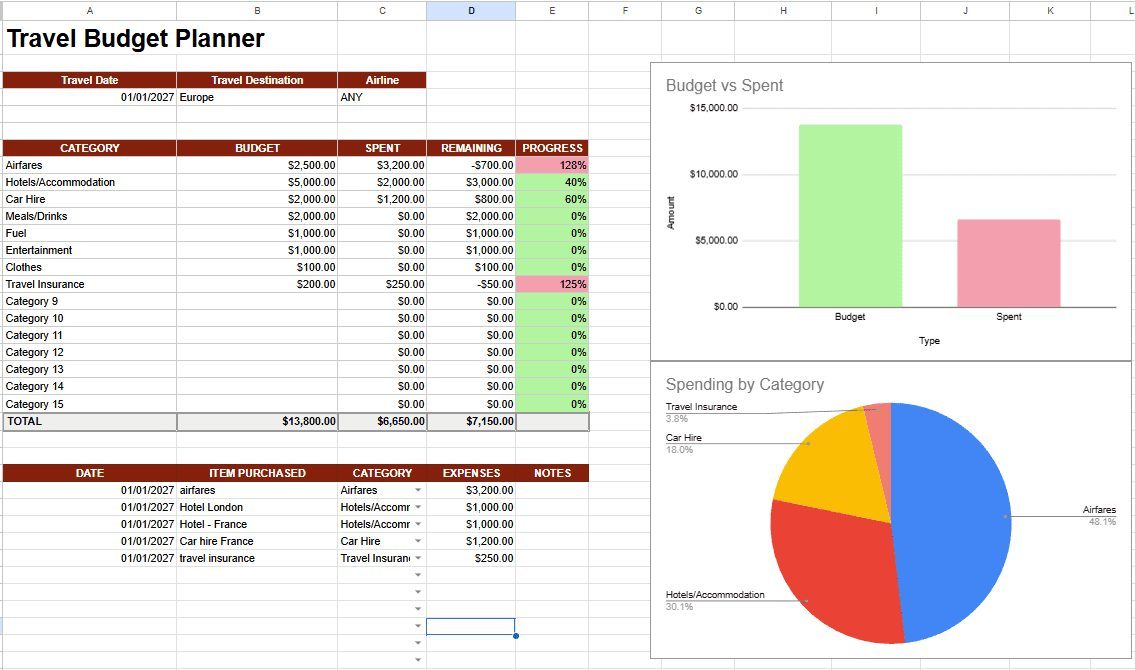
Here are your main options for a total trip cost calculator:
- DIY spreadsheet (Google Sheets, Excel): maximum control, reusable for every trip, easy to add formulas and charts.
- Web calculators like MiniWebtool, CalculatorSolutions, or Sum.money: quick, device-friendly, good if you hate spreadsheets.
- Pre-built planners such as the free sheet from Trusty Travel Tips: already structured, you just plug in numbers.
- Notebook: works if you’re disciplined, but you’ll do more manual math and it’s harder to adjust.
My rule: if the trip is more than a weekend or over a few hundred dollars, I use a spreadsheet or a solid online travel cost calculator. I want instant totals and the ability to play what if?
with dates, hotels, and flight options.
Takeaway: pick one home for your numbers and commit to it. Half the value is simply having everything in one place.
2. Build the Skeleton: Categories That Capture the Real Cost
Next, you need a structure that doesn’t let costs slip through the cracks. Most people only think in three lines: flights, hotel, and spending money
. That’s how trips blow up.
I start with a skeleton inspired by tools like MiniWebtool’s Travel Budget Calculator and the single-page planners mentioned above. At minimum, I create these main categories for a clear trip budget breakdown: flights, hotels, transport, and more.
- Transportation – to/from destination
- Flights (base fare + seat selection + baggage + priority boarding)
- Trains, buses, ferries between cities
- Airport parking or rideshares to/from home airport
- Local transport – once you’re there
- Metro, buses, trams, taxis, rideshares
- Car rental (base rate, insurance, fuel, tolls, parking)
- Airport transfers at destination
- Accommodation
- Nightly rate × nights
- Taxes, resort fees, service charges
- Cleaning fees (Airbnb, vacation rentals)
- Food & drink
- Daily average (breakfast, lunch, dinner, snacks)
- Drinks, coffee, bar nights
- Tipping (especially in the US where 20–25% is normal)
- Activities & experiences
- Tours, museum tickets, attraction passes
- Day trips, excursions, classes
- Event tickets (concerts, sports, shows)
- Pre-trip fixed costs
- Visas, vaccinations, passport renewal
- Travel insurance
- New luggage, gear, clothing
- On-the-ground extras
- Shopping, souvenirs
- SIM cards, eSIMs, roaming
- Workspace, co-working, data packages for longer stays
- Buffer / contingency (10–15%+ of everything above)
In a spreadsheet, I give each category its own section and then add columns like:
- Item
- Per-person or group?
- Unit cost (per night, per day, per ticket)
- Quantity (nights, days, people, tickets)
- Subtotal (formula: unit cost × quantity)
Takeaway: if a cost doesn’t fit into one of these buckets, you’re probably missing a category. Add it. Your pre-booking travel cost estimate should feel slightly over-detailed, not vague.
3. Hunt Down the Hidden Costs Before They Hunt You
This is where most budgets quietly die. The flight looks cheap, the hotel looks fine, and then the add-ons show up. Tools like TrueTripCost exist for a reason: advertised prices are often half the story.
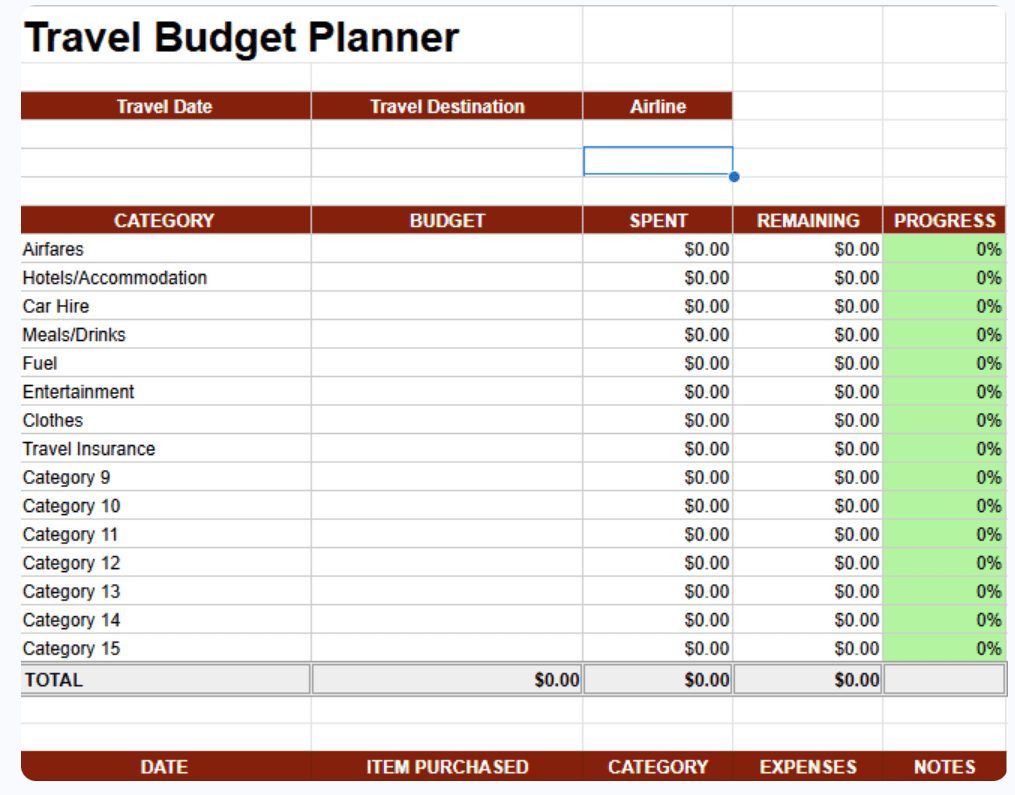
When I build a total trip cost calculator, I deliberately go line by line and ask: What’s the annoying extra here?
Here are the usual suspects to bake into your sheet so your all-in travel cost comparison is honest:
- Flights
- Checked baggage (both directions, all travelers)
- Carry-on fees on low-cost carriers
- Seat selection (especially for families who want to sit together)
- Priority boarding or extra legroom if you usually pay for it
- Foreign transaction fees on your card (often 1–3% of overseas spend)
- Accommodation
- Resort fees and city taxes (per night, per room)
- Cleaning fees and service fees on rentals
- Parking at the hotel
- Late checkout or early check-in if you’re likely to pay for it
- Local transport
- Airport transfers (both ways)
- Fuel, tolls, and rental insurance for road trips
- Parking in cities and at attractions
- Money & payments
- ATM fees and currency exchange spreads
- Dynamic currency conversion (avoid it, but budget as if you might get hit once or twice)
- Tipping
- Restaurants, bars, hotel staff, guides, drivers
- All-inclusive resorts where tipping is technically included but socially expected
Sites like TrueTripCost and the calculators at TvojKalkulator explicitly call out these hidden items and even pre-fill estimates for popular destinations. Use those as a sanity check against your own numbers.
Takeaway: if a cost is mentioned in fine print, it belongs in your calculator. The more boring the fee, the more likely it is to blow up your budget if you ignore it.
4. Turn Research into Numbers: From Vague Ideas to Line Items
Once the structure is ready, you need real numbers. This is where people get lazy and just guess. I try not to. I treat it like a mini research project and a step-by-step travel cost planning exercise.
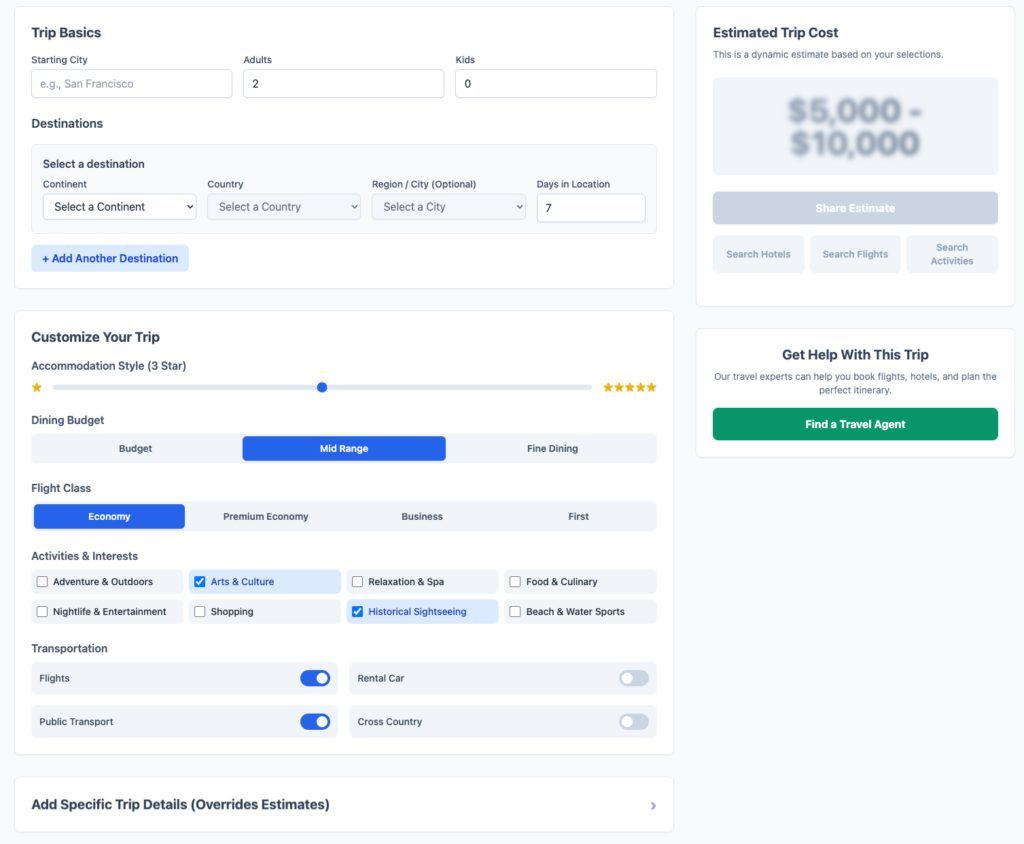
Here’s how I turn vague plans into actual line items:
Step 1: Use destination benchmarks
Tools like TripBudgetCalculator.com and Sum.money’s Vacation Budget Calculator give you realistic daily cost ranges (budget, mid-range, luxury) for different destinations. I’ll often start with those:
- Pick your travel style (budget / mid-range / luxury).
- Note the suggested daily cost per person for accommodation, food, and activities.
- Multiply by trip length and number of travelers.
This gives you a first-pass total. Then I refine.
Step 2: Replace averages with real quotes
Following the approach of calculators like CalculatorSolutions, I manually plug in prices from my own research:
- Search flights on a couple of comparison sites and note realistic fares, not the absolute lowest unicorn price.
- Check 3–5 accommodation options in the area you actually want to stay, including taxes and fees.
- Look up ticket prices for your must-do activities and tours.
- Estimate daily food costs based on where you’ll actually eat (street food vs. sit-down restaurants).
Every time I find a price, it goes straight into the calculator under the right category. No mental notes. No I’ll remember that
. I won’t.
Step 3: Separate per-person vs. group costs
Borrowing a smart idea from MiniWebtool, I mark each line as either:
- Per person (flights, attraction tickets, individual meals)
- Group (hotel room, rental car, travel insurance policy, apartment rental)
Then I let formulas do the work:
- Per-person subtotal = sum of all per-person lines.
- Group subtotal = sum of all group lines.
- Total trip cost = per-person subtotal × number of travelers + group subtotal.
- Cost per person = total trip cost ÷ number of travelers.
Takeaway: start with destination averages, then overwrite them with real quotes. The more lines you replace with actual prices, the less your trip will surprise you.
5. Add a Safety Buffer: Because Prices Move and Plans Change
Even with careful research, travel is messy. Exchange rates shift. You decide to take that extra day trip. A storm forces an extra hotel night. This is why I treat a buffer as non-negotiable in any honest total trip cost estimate.

Different tools suggest different buffer sizes:
- 10–15% is common in calculators like Sum.money and MiniWebtool.
- 15%+ is recommended by TvojKalkulator for volatile exchange rates and hidden fees.
I adjust my buffer based on risk:
- 10% for short, simple trips to stable, familiar destinations.
- 15% for international trips, peak season, or places with lots of tipping and fees.
- 20%+ for remote destinations, multi-country itineraries, or when I’m leaving many activities unbooked.
In the calculator, I add a line at the bottom:
- Base total (no buffer) = sum of all categories.
- Buffer = base total × buffer percentage.
- Grand total = base total + buffer.
Then I mentally treat the grand total as the real cost of the trip. If I come in under, great. If not, I’m not scrambling.
Takeaway: if your budget only works with a 0% buffer, it doesn’t work. Either shrink the trip or delay it until the numbers are honest.
6. Stress-Test the Plan: What Happens If You Change One Thing?
Now you have a full picture. Before you book, this is the moment to ask: What if I tweak the plan instead of just accepting this total?
This is where a good total trip cost calculator really shines. You can compare total trip cost by destination, dates, or travel style in a few minutes.
Play with dates and length
- Shift dates by a week or two and re-check flight and hotel prices.
- Compare 7 nights vs. 10 nights. Sometimes 3 extra nights barely move the needle; sometimes they double your accommodation cost.
- Look at shoulder season vs. peak season. Many calculators and guides (like those on TripBudgetCalculator.com) highlight how much this matters.
Swap accommodation style
- Compare a central hotel vs. a slightly further apartment with a kitchen.
- Test a hostel or house-sitting option if you’re flexible.
- For longer stays (30+ days), factor in monthly discounts but also higher miscellaneous costs (insurance, workspace) as TvojKalkulator suggests.
Adjust food and activity intensity
- Model one fancy dinner every 3 days instead of every day.
- Swap a couple of paid tours for self-guided days.
- Use local markets and occasional cooking to cut daily food costs, as many calculators recommend.
Because everything is in one place, you can see instantly how each change affects:
- Total trip cost
- Cost per person
- Cost per day
Sometimes a single decision—like moving the trip by one week or choosing a different neighborhood—saves more than all your smaller sacrifices combined.
Takeaway: don’t just accept the first total your calculator spits out. Use it as a control panel. Turn knobs and see what happens.
7. Turn Your Total Trip Cost into a Savings Plan
Knowing the total is powerful, but it’s only useful if you can actually fund it. This is where I borrow a trick from tools like Sum.money and other vacation budget calculators: convert the total into a monthly and weekly savings target.
In your sheet, add a small section:
- Grand total (including buffer)
- Current savings for this trip
- Shortfall = grand total − current savings
- Months until departure
- Required savings per month = shortfall ÷ months
- Required savings per week = shortfall ÷ (months × 4.3)
Then ask yourself a blunt question: Am I realistically going to save this much?
- If yes, great. Automate transfers and treat them like a bill.
- If no, adjust the trip: shorten it, change destination, downgrade accommodation, or push the dates.
Takeaway: a trip you can’t comfortably fund is a trip you’ll be paying for long after the photos stop being fun to look at.
8. Use the Same Calculator During and After the Trip
The last step is where most people stop—but it’s where your calculator becomes a long-term asset instead of a one-off exercise.
During the trip, I do what the better planners (like the one on Trusty Travel Tips) encourage: I log actual spending against my planned numbers. Not obsessively, but enough to see patterns:
- Are we consistently overspending on food?
- Did we underestimate local and ground transportation costs in the trip budget?
- Is the buffer getting eaten faster than expected?
After the trip, I compare:
- Planned vs. actual by category.
- Which category blew up the most?
- Which estimates were too conservative?
Then I copy the sheet for the next trip and adjust my default assumptions. Over time, your personal total trip cost calculator becomes more accurate than any generic tool because it’s based on how you actually travel, not how an average traveler does.
Final thought: the goal isn’t to make travel cheap at all costs. It’s to make it honest. When you know the real price of the trip before you book, you can decide—calmly—whether it’s worth it. That’s the power of a clear, all-in travel cost comparison.