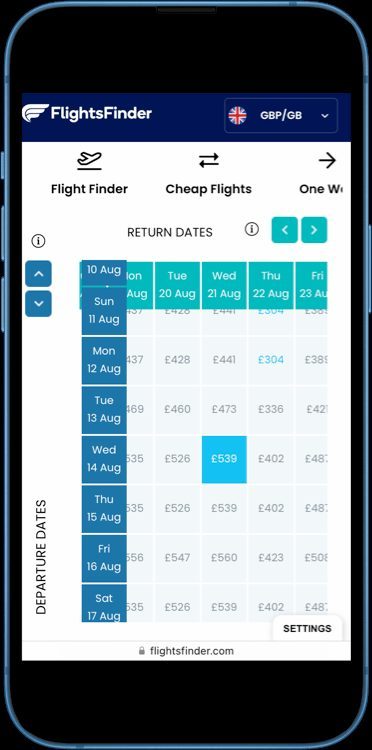

I love metasearch engines like Kayak and Momondo. I also don’t trust them blindly.
They’re powerful tools for finding cheap flights, but they’re also ad platforms, referral machines, and sometimes a maze of sketchy third-party sellers. If you just click the absolute cheapest price every time, you can easily overpay in time, stress, and hidden fees—even if the ticket looks cheap.
Here’s how I actually use metasearch engines for flights—Kayak, Momondo, and similar tools—to find real deals without getting burned.
1. First Decision: Which Tool Do I Start With?
Most people open Kayak or Momondo first. I usually don’t.
My usual flow looks like this:
- Step 1 – Map the landscape: I start with Google Flights or Skyscanner to see which days, routes, and airlines are generally cheapest.
- Step 2 – Deep dive: Once I know the best dates and rough route, I plug those into Momondo and Kayak to see if anyone is selling the same flights for less.
- Step 3 – Sanity check: I compare the best metasearch price with booking directly on the airline’s site.
Why this order? Tools like Google Flights are fast and great for big-picture questions: Is it cheaper if I leave Tuesday?
Is another airport better?
They’re perfect for a broad flight metasearch comparison strategy.
Momondo and Kayak are slower but often dig up extra-cheap fares from smaller online travel agencies (OTAs) that don’t always show up elsewhere. That’s where the real comparison between metasearch engines vs online travel agencies starts to matter.
The mindset that saves money: metasearch is for comparison, not blind trust. I use it to ask, Could this be cheaper?
Not, Whatever’s cheapest must be best.
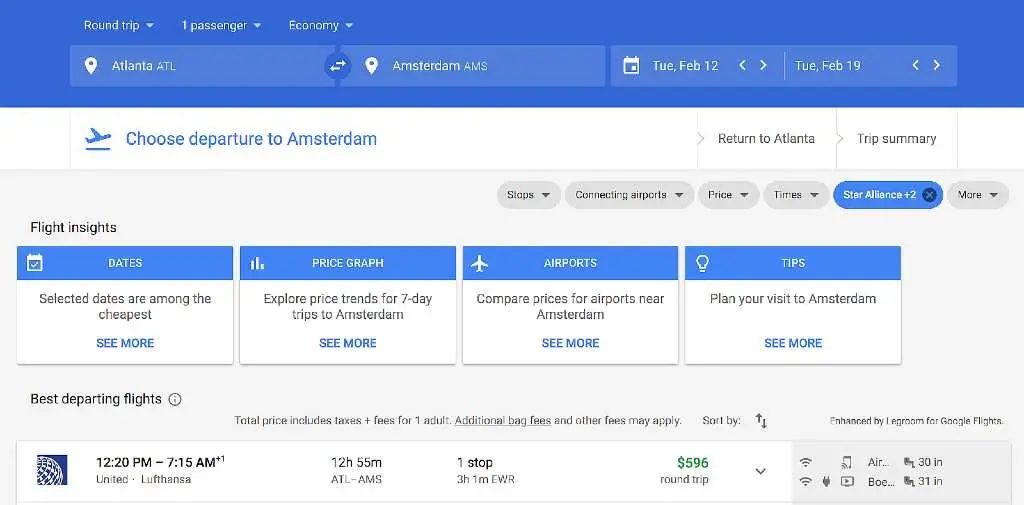
2. Second Decision: Flexible Dates vs Fixed Schedule
Before I even search, I ask myself one question: How flexible am I really?
Because almost every so-called cheap flight hack
is just a form of flexibility:
- Flying midweek instead of Friday–Sunday
- Leaving a day earlier or later
- Using a different airport
- Accepting a long layover or odd hours
On Kayak and Momondo, I use that self-awareness to decide how to search, not just where to search.
If I’m flexible:
- On Kayak, I turn on flexible dates and look at the calendar or price graph to spot patterns.
- On Momondo, I use the date-based price graph and sometimes the
Anywhere
search if I just want a cheap escape. - I target Tuesdays and Wednesdays and shoulder seasons (spring and fall), which are often cheaper.
If I’m not flexible (school holidays, fixed vacation days, family trip):
- I accept that I might not get a rock-bottom fare.
- I focus more on good schedules, reasonable layovers, and total trip cost than shaving off the last $20.
Metasearch engines make it easy to chase the absolute lowest number. But when you’re learning how to use metasearch engines for flights, it helps to remember: my time and sanity are worth money too.
3. Third Decision: When Should I Actually Book?
Metasearch sites love urgency: timers, Only 2 seats left!
, Prices are rising!
banners. Some of that is real inventory pressure. Some of it is just marketing.
Instead of panicking, I use a mix of data and common sense:
- General timing rules: I aim for about 1–3 months ahead for domestic and 2–6 months ahead for international flights. Not perfect, but a solid starting point for timing flight purchases after a metasearch search.
- Fare alerts: On Kayak, I set price alerts for my route and dates instead of checking randomly. I let the data come to me.
- Kayak’s price advice: I glance at the
Our Advice
box (buy now vs wait). It’s a hint, not a command. Algorithms are guessing based on trends, not reading the airline’s mind. - Momondo’s Flight Insights: If available, I check typical cheapest days to fly and when to book for that specific route. Route-specific info beats generic rules.
What I don’t do anymore: obsessively refreshing in incognito mode every 10 minutes. Yes, cookies and urgency tactics exist, but many price jumps are just fare buckets selling out, not the site punishing you for looking.
My rule of thumb: if the price is good enough for my budget and schedule, I book. Waiting forever for perfection is how people end up paying more.

4. Fourth Decision: Cheapest Ticket vs Smart Ticket
This is where most people overpay without realizing it—and where a lot of metasearch flight booking mistakes happen.
Metasearch engines show you a headline fare. But the real cost includes:
- Baggage fees (carry-on and checked)
- Seat selection
- Airport choice and ground transport
- Layover length and risk of missed connections
- Change/cancellation flexibility
Momondo, for example, requires partners to include mandatory fees in the price, but optional extras can still wreck your budget. Kayak helps a bit with its Baggage Fee Assistant, which estimates bag costs based on airline policies and can help you avoid hidden fees on flight metasearch.
Here’s how I keep myself honest:
- I check baggage rules before I fall in love with a fare.
Low-cost carriers often sell bare-bones tickets with no carry-on or checked bag. Adding a bag later—especially at the airport—can be brutally expensive. - I compare total trip cost, not just the ticket.
That $40 cheaper flight from a distant airport might mean a $60 Uber and an extra hour of travel. Not a deal. - I watch seat fees.
If I’m traveling with kids or a group, paying for seats might be unavoidable. Sometimes booking with a full-service airline that includes seat selection is cheaper overall. - I factor in food.
On some airlines, even water and snacks cost extra. On long-haul flights, meals are usually included. I check the fare rules and, if needed, eat at the airport instead of paying inflated onboard prices.
Bottom line: the cheapest-looking ticket can easily become the most expensive choice once you add everything up.
5. Fifth Decision: Who Do I Actually Book With?
Kayak and Momondo don’t sell you the ticket. They send you to someone else—an airline or an OTA. That choice matters a lot for safe booking practices after metasearch.
Here’s how I think about the book direct vs third party on metasearch decision:
- Booking directly with the airline:
- Usually easier for changes, cancellations, and schedule disruptions.
- Better access to upgrades, seat changes, and add-ons like Wi‑Fi or lounge access.
- Often earns miles and status more reliably.
- Booking with a third-party OTA:
- Can be 20%+ cheaper on some routes, especially long-haul.
- Sometimes shows special fare classes or bulk-purchased seats you won’t see on the airline’s site.
- But: customer service can be painful, and change policies may be stricter.
My personal rule:
- If the OTA is only $10–$30 cheaper, I usually book directly with the airline.
- If the OTA is $100+ cheaper and I’m on a simple round-trip with no tight connections, I’ll consider the OTA—but I research its reviews first.
On Momondo and Kayak, I always:
- Click into the flight details and see which site is actually selling the ticket.
- Prefer well-known OTAs or the airline itself, even if they’re a bit more expensive.
- Screenshot the itinerary and price before clicking through, in case something changes on the next page.
Metasearch engines are great at surfacing options. They are not responsible for your booking experience. That’s between you and the seller you choose.
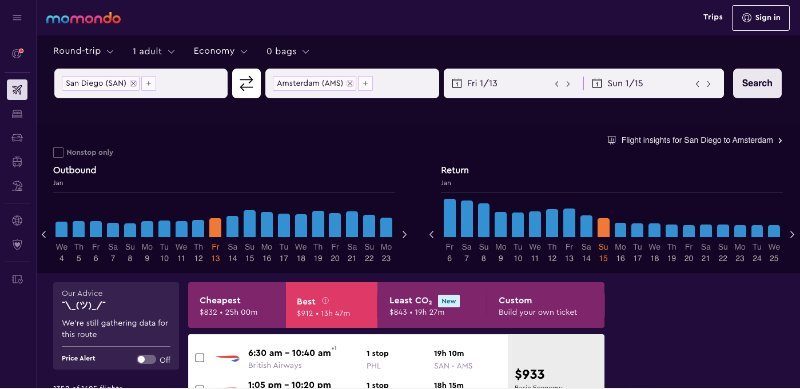
6. Sixth Decision: Should I Use Hacker Fares and Mix & Match?
Kayak and Momondo both offer clever combinations that can look like magic deals:
- Kayak Hacker Fares: two separate one-way tickets, often on different airlines, stitched into a
round-trip
. - Momondo Mix & Match: similar idea—separate tickets from different providers combined into one itinerary.
These can be genuinely cheaper and are often highlighted as metasearch tools for finding flight deals. But they come with strings attached:
- Separate reservations: If one leg changes or gets canceled, the other airline doesn’t care. You’re on your own to fix the mess.
- Missed connections risk: If your first flight is delayed and you miss the second, it’s usually treated as a no-show, not a protected connection.
- Multiple customer service points: You might have to deal with two airlines and possibly two OTAs if something goes wrong.
When do I use them?
- When I’m traveling carry-on only.
- When I have long layovers (3–4+ hours) or overnight stops.
- When the savings are significant and I’m comfortable with the risk.
When do I avoid them?
- When I’m traveling with kids, elderly family, or tight schedules.
- When I need a single, protected itinerary for peace of mind.
These features are tools, not magic. I treat them like a calculated gamble, not a default choice.
7. Seventh Decision: How Much Do I Care About Loyalty and Points?
Metasearch engines don’t care about your frequent flyer status. You should.
Sometimes the cheapest
flight is on an airline or booking channel that doesn’t earn you useful miles or elite credit. Other times, paying a bit more to stay on your preferred airline or alliance is worth it in the long run.
Here’s how I think about it:
- If I’m chasing status or already elite:
- I heavily favor flights on my main airline or alliance.
- I often book directly with the airline, even if an OTA is slightly cheaper.
- I factor in perks like free bags, priority boarding, and better customer service.
- If I’m not loyal to anyone:
- I still check whether the fare earns miles and in which program.
- I consider using credit card points or miles to offset the cost instead of chasing a tiny cash saving.
Metasearch engines are great at showing you prices. They’re not great at showing you value over time. That part is on you.
8. Putting It All Together: A Simple, Smart Metasearch Routine
If you want a simple, repeatable way to use Kayak and Momondo without overpaying, here’s a checklist you can literally follow step by step. It works whether you’re comparing Kayak vs Momondo flight prices or just trying to use metasearch filters to save money.
- Define your flexibility.
Are your dates and airports fixed, or can you move a bit? Decide this before you search. - Map the cheap days and routes.
Use Google Flights or Skyscanner to find the best dates, airports, and airlines for your trip. - Check metasearch for extra savings.
Plug those dates and routes into Kayak and Momondo. Sort byCheapest
, then filter out obviously bad options (crazy layovers, overnight airport stays, etc.). This is the smart way to use Kayak for cheap flights and to apply simple Momondo search tips for real deals. - Compare total cost, not just the fare.
Use Kayak’s Baggage Fee Assistant, read fare rules, and mentally add bags, seats, and transport to/from the airport so you don’t get surprised by extras. - Choose who you book with.
Compare metasearch results with airline websites. Decide if the savings justify using a third-party OTA or if you’d rather book direct for peace of mind. - Decide on riskier tricks.
Only use Hacker Fares or Mix & Match if you understand the risk of separate tickets and are okay with it. - Use alerts instead of panic.
Set price alerts on Kayak (and/or other tools) and give it a few days if you’re early. When the price hits your comfort zone, book and move on.
In the end, metasearch engines are just that—search engines. They’re not your travel agent, and they’re not your enemy. If you use them with a clear head, a bit of skepticism, and a focus on total value instead of just the lowest number, they can save you real money without wrecking your trip.
The goal isn’t to win some invisible game against airline algorithms. The goal is simple: pay a fair price, know what you’re getting, and actually enjoy the trip.